
Saving significant money with a smart home isn’t about buying more devices; it’s about system-wide optimization and security.
- Focus on granular thermostat programming and ensuring smart plugs can safely handle high-wattage appliances.
- Prioritize network security by disabling default router settings like UPnP, the primary vector for IoT hacks.
Recommendation: Start by auditing your router’s Universal Plug and Play (UPnP) settings and identifying one “energy vampire” with a smart plug to understand its real-world consumption.
The promise of a smart home is one of convenience and efficiency, yet many homeowners see their energy bills remain stubbornly high. You’ve installed the smart thermostat, you’ve switched to a few smart bulbs, but the promised savings of hundreds of dollars a year feel more like a marketing gimmick than a reality. The common advice to simply “buy smart devices” overlooks a fundamental truth known to any automation engineer: a collection of smart gadgets does not equal a smart system.
The real path to significant, repeatable savings—like the $400 per year this guide targets—lies not in the devices themselves, but in their strategic implementation. It requires a shift in thinking from a consumer to an engineer. This means focusing on granular configuration, understanding safety thresholds, mitigating security risks, and calculating a clear return on investment. The default settings are designed for ease of use, not peak efficiency.
But what if the key wasn’t buying another device, but unlocking the hidden potential of the ones you already own? This guide moves beyond the generic platitudes. We will dissect the precise settings that turn a smart thermostat into a cost-cutting machine, explore the critical safety specifications for high-power devices, uncover the security vulnerabilities that live on your router, and quantify the payback period of a targeted investment. This is the engineer’s approach to transforming your smart home from a novelty into a high-performance energy-saving asset.
To achieve this, we will explore the critical components of a truly efficient smart home, from core programming to future-proofing your setup. The following sections provide a detailed roadmap to mastering your home’s energy consumption.
Contents: Your Roadmap to Smart Home Efficiency
- How to Program Your Smart Thermostat to Cut Heating Costs by 15%?
- Which Smart Plugs Handle High Wattage Space Heaters Safely?
- The Default Setting on Smart Bulbs That Hackers Use to Access Your Network
- Why Investing $500 in Smart Sensors Pays Off in Less Than 18 Months?
- When to Update IoT Firmware: The 3 Critical Security Patches to Install Now
- Tesla Powerwall vs Generac: Is Battery Backup Worth the Extra $10k?
- Why Your Supermarket Tea Bags Contain 30% Plastic Dust?
- Solar Panels in 2024: How Long Until You Break Even on Installation Costs?
How to Program Your Smart Thermostat to Cut Heating Costs by 15%?
Simply installing a smart thermostat is only the first step. While most users will see some savings, reaching a significant 15% reduction requires moving beyond the default “smart” schedule. The baseline savings are often modest; for example, ENERGY STAR data suggests an 8% average savings on heating and cooling bills for typical users. The difference between 8% and 15% lies in granular configuration and actively using the device’s advanced features.
The core of this optimization is telling the system not just when you’re home, but how to behave under different conditions. This involves setting specific temperature ranges that balance comfort and economy. A common engineering-led approach is to set a winter temperature of 68°F (20°C) when home and programming it to drop to 60°F (15.5°C) when you’re away or asleep. This simple differential prevents the HVAC system from working hard to maintain an empty home at a comfortable temperature.
Furthermore, features like geofencing—which uses your phone’s location to automatically enter “Away” mode—are critical for maximizing savings. This automates the process, ensuring energy isn’t wasted if you forget to manually adjust the temperature. Finally, you should review your thermostat’s monthly energy reports. These reports are a goldmine of data, highlighting periods of high usage and revealing opportunities for further schedule refinement. By treating your thermostat not as a “set it and forget it” device but as a data-driven tool, you can fine-tune its performance to consistently hit that 15% savings target.
Which Smart Plugs Handle High Wattage Space Heaters Safely?
Smart plugs are fantastic for automating lamps and coffee makers, but using them with high-wattage appliances like space heaters introduces a significant safety risk. A standard smart plug is not engineered to handle the sustained electrical load of a 1500W heater, creating a serious fire hazard. From an engineering perspective, the plug’s specifications are not a suggestion; they are a hard limit. Choosing the right plug isn’t about features, it’s about safety-certified electrical capacity.
An appropriate smart plug must be explicitly rated for this kind of load. This means looking beyond the marketing and examining the technical specifications. The key metrics are amperage and maximum wattage. For a typical 1500W space heater on a 120V circuit, the plug must be rated for at least 15 amps (A) and have a maximum wattage capacity of 1800W or more. This buffer is crucial for handling power fluctuations and ensuring long-term stability.
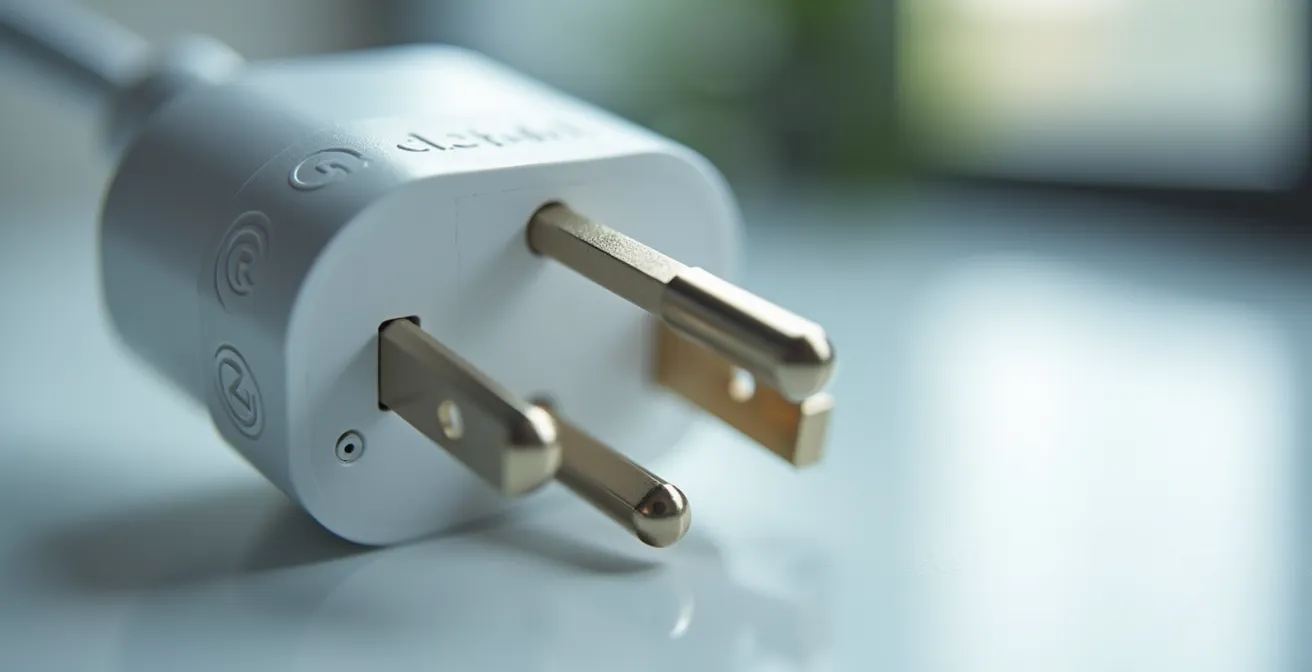
Beyond raw numbers, look for safety certifications. A plug suitable for this purpose must be UL or ETL listed, which verifies it has been tested by a third-party lab to meet established safety standards. These certifications ensure the materials and construction can withstand the heat and electrical stress. An uncertified plug is a gamble you should never take. The following table breaks down the non-negotiable requirements for safely automating a high-draw appliance.
A case study from Lawrence Berkeley National Laboratory shows standby power can account for up to 10% of household energy use. In one instance, a homeowner used a monitoring plug to discover an old freezer was costing $180 annually in phantom power alone.
| Smart Plug Feature | Required for 1500W Heater | Safety Standard |
|---|---|---|
| Amperage Rating | 15A minimum | UL Listed |
| Voltage Support | 120V | ETL Certified |
| Maximum Wattage | 1800W+ | FCC Compliant |
| Surge Protection | Yes | RoHS Compliant |
The Default Setting on Smart Bulbs That Hackers Use to Access Your Network
The fear of a hacker accessing your network through a smart bulb is a common headline, but it misidentifies the true culprit. The bulb itself is rarely the entry point. The real danger lies in a default setting on your home’s router that these devices are designed to exploit. This setting is called Universal Plug and Play (UPnP), and it’s a feature designed for convenience that creates a massive security hole.
UPnP allows devices on your network to automatically open ports to the internet without your intervention, making setup easier for things like game consoles and printers. However, it also allows any IoT device, including a cheaply made smart bulb, to do the same. This creates a direct, unmonitored pathway from the public internet to a device inside your secure network. As SafeWise Security Research notes in their Home Automation Security Guide:
The vulnerability is rarely the bulb itself, but the Universal Plug and Play (UPnP) setting on routers, which is often on by default.
– SafeWise Security Research, Home Automation Security Guide
From an engineer’s perspective, this convenience comes at an unacceptable security cost. Disabling UPnP is the single most important step you can take to secure your smart home. It forces all connections to go through the router’s firewall, blocking unauthorized access attempts. While it may require you to manually forward a port for a specific application occasionally, this minor inconvenience is a small price to pay for robust network security. Protecting your smart home starts with securing the network it runs on, not just the devices themselves.
Your Action Plan: 4 Critical Security Steps for All Smart Devices
- Disable UPnP on your router immediately by accessing your router’s settings (often at 192.168.1.1).
- Create a separate guest network exclusively for all your IoT devices to isolate them from your primary computers and phones.
- Enable two-factor authentication (2FA) on all smart home app accounts to prevent unauthorized access even if your password is stolen.
- Regularly review and deny unnecessary app permissions for smart home apps, such as access to your location, microphone, or contacts.
Why Investing $500 in Smart Sensors Pays Off in Less Than 18 Months?
While individual smart devices offer incremental savings, a strategic investment in a sensor-based ecosystem can create a compounding effect. Studies have shown that a comprehensive smart home setup can achieve a 30-40% reduction in energy consumption. The key is to create a system where devices react not just to schedules, but to real-time conditions. An initial, targeted investment of around $500 can establish this foundational network and, as the data shows, pay for itself surprisingly quickly.
A typical $500 “starter kit” for an engineer-minded homeowner wouldn’t include flashy gadgets. Instead, it would focus on core components with the highest return on investment: a smart thermostat, a handful of energy-monitoring smart plugs, a set of smart LED bulbs, and a couple of motion sensors. Each component tackles a different area of waste. The thermostat optimizes HVAC, the plugs hunt down “phantom loads” from appliances in standby, the bulbs cut lighting costs, and the motion sensors ensure lights are only on in occupied rooms.
The combined impact of these devices generates significant annual savings. When you break down the numbers, the payback period becomes clear. A smart thermostat can save around $140 per year, while a strategic deployment of smart plugs and bulbs can add another $140. Motion sensors contribute a smaller but still meaningful amount. Summed up, a $500 investment can realistically generate over $350 in annual savings, resulting in a full return on investment in just 17 months. This demonstrates that a focused, data-driven approach to smart home automation is not a long-term dream but a short-term, financially sound decision.
| Device | Cost | Annual Savings | Payback Period |
|---|---|---|---|
| Smart Thermostat | $150 | $140 | 13 months |
| 4x Smart Plugs | $100 | $60 | 20 months |
| Smart LED Bulbs (10) | $150 | $80 | 23 months |
| 2x Motion Sensors | $50 | $30 | 20 months |
| Energy Monitor | $50 | $40 | 15 months |
| Total | $500 | $350/year | 17 months |
When to Update IoT Firmware: The 3 Critical Security Patches to Install Now
In the world of smart home devices, firmware updates are not just for adding new features; they are a critical line of defense against security threats. Ignoring them is equivalent to leaving your front door unlocked. The most crucial component in this security chain is often the most overlooked: your router. In fact, security research indicates that 60% of smart home vulnerabilities stem from outdated router firmware. Keeping your router, the central hub of your network, updated is priority number one.
Beyond the router, you must prioritize patches that fix specific, high-risk vulnerabilities. Not all updates are created equal. As an engineer, you need to triage them based on severity. The most urgent patches are those that address Remote Code Execution (RCE) vulnerabilities. An RCE flaw is the holy grail for a hacker, as it allows them to run their own code on your device, effectively giving them complete control. When a manufacturer releases a patch for an RCE vulnerability, you should install it immediately.
However, for non-critical updates, a degree of caution is wise. A common practice is to wait about a week after a new firmware version is released. This “cooling-off” period allows early adopters to report any major bugs or issues, such as the update “bricking” the device (rendering it unusable). By waiting a few days, you avoid being the guinea pig for a faulty update. The key is to stay informed. Set up alerts for your device models so you’re aware of new vulnerabilities and can make an intelligent decision about when to update, balancing the need for security with the risk of a buggy release.
Tesla Powerwall vs Generac: Is Battery Backup Worth the Extra $10k?
The idea of whole-home battery backup with a system like a Tesla Powerwall or Generac is appealing, offering complete energy independence during a power outage. However, from a cost-benefit engineering standpoint, the $10,000+ price tag often presents a return on investment that stretches over 15 years, making it financially impractical for many homeowners whose primary goal is resilience for their smart home infrastructure.
A more pragmatic and cost-effective approach is to analyze what truly needs to stay online during an outage. For most smart homes, the critical infrastructure is the network: the modem, router, and smart home hub (like SmartThings or Hubitat). Without these, all automation fails. A targeted solution, such as a small Uninterruptible Power Supply (UPS), can keep this essential gear running for hours for a fraction of the cost.
Case Study: UPS vs. Full Battery Backup Analysis
A homeowner’s analysis revealed a compelling alternative to a full battery system. By investing in an $800 UPS system dedicated to their router, hub, and a few essential devices, they maintained their home’s core automation during 95% of local power outages, which were typically under four hours. This solution provided the majority of the resilience benefits of a $10,000 whole-home system. The crucial difference was the payback period: the UPS paid for itself in resilience and convenience in under 2 years, compared to the 15+ year ROI for the full battery installation.
Furthermore, the efficiency of your home directly impacts the cost of any future battery system. Making your home more energy-efficient before considering a battery means you’ll need a smaller, less expensive system to begin with. As an example, energy efficiency improvements show that a 15% reduction in your baseline energy consumption can lead to savings of $2,000 to $3,000 on the required size and cost of a battery system. This proves that optimizing your existing setup is the most financially sound first step before investing in large-scale backup power.
Why Your Supermarket Tea Bags Contain 30% Plastic Dust?
It might seem odd to discuss tea bags in a guide to smart home energy savings, but they offer a perfect analogy for the hidden waste in our daily lives. Many modern tea bags, especially the “silken” pyramid-shaped ones, are made from plastics that release billions of microplastic particles into your cup. This is a hidden, undesirable cost embedded in a seemingly simple product.
In the same way, your home is filled with “energy dust”—invisible and unmeasured costs that inflate your utility bills. This includes the phantom power drawn by devices on standby, the heat lost through poorly scheduled thermostats, and the security vulnerabilities that represent a hidden risk. The first principle of engineering efficiency is measurement: you cannot manage what you do not measure.
Just as becoming aware of plastic in tea bags encourages a switch to loose-leaf tea, identifying the sources of energy waste in your home is the first step toward eliminating them. A single energy-monitoring smart plug can act as your “lab,” allowing you to test different appliances and uncover the true culprits behind your high bills. This is the essence of the engineering mindset: breaking down a complex system to identify and eliminate its hidden inefficiencies, whether they are plastic in your tea or watts being wasted in your living room.
Key Takeaways
- Focus on granular settings and advanced features like geofencing and energy reports, not just the default modes of your smart devices.
- Prioritize network security by disabling your router’s UPnP setting and isolating IoT devices on a guest network; this is the weakest link in most smart homes.
- Calculate the payback horizon for any investment. For resilience, a targeted $800 UPS can provide more practical value than a $10,000 whole-home battery.
Solar Panels in 2024: How Long Until You Break Even on Installation Costs?
The ultimate step in home energy management for many is installing solar panels. However, the break-even point on such a significant investment is directly tied to your home’s baseline energy consumption. Rushing into a solar installation without first optimizing your home’s efficiency is a classic engineering mistake. It’s like trying to fill a leaky bucket; you’ll end up paying for a larger, more expensive system to compensate for underlying waste.
A truly smart home is “solar-ready.” This means using your existing automation to reduce and shift your energy load before you even get a quote for panels. By using smart plugs and energy monitors, you can identify your peak usage times and find opportunities to shift that consumption. For example, programming your dishwasher or washing machine to run in the middle of the day pre-conditions your home’s energy habits for when solar power is most abundant. Reducing your overall consumption by 20-30% through smart automation directly translates to needing a smaller, cheaper solar array.
As EcoFlow Energy Management states in their guide, this is the true power of an integrated system.
Smart home automation turns those habits into reliable routines that trim waste, protect comfort, and shift usage away from high-price hours.
– EcoFlow Energy Management, Smart Home Automation Guide 2024
By documenting the energy savings achieved through automation, you provide a solar installer with a much more accurate, lower consumption profile. This data-driven approach ensures you are “right-sizing” your solar investment, dramatically shortening your payback period and maximizing your long-term return. Your smart home isn’t just saving you money today; it’s making your future investments in green technology far more effective.
Begin your journey to true efficiency today by performing a security audit of your router’s UPnP settings and identifying your first energy vampire with a monitoring smart plug. This is the first, most impactful step toward turning your house into a truly smart, energy-efficient system.
Frequently Asked Questions About Smart Home Energy Efficiency Automation
What are Remote Code Execution (RCE) vulnerabilities?
RCE flaws allow hackers to run malicious code on your device remotely. These are the most critical patches to install immediately as they can give attackers full control of your smart home devices.
Why should I wait before installing auto-updates?
New firmware can sometimes contain bugs that brick devices. It’s often wise to wait 7 days after a non-critical update is released to let early adopters report any major issues. However, this does not apply to urgent security patches like those for RCE vulnerabilities.
How do I set up vulnerability alerts for my devices?
You can create Google Alerts for “[your device model] + vulnerability” or “[your device model] + CVE” (Common Vulnerabilities and Exposures) to receive immediate email notifications when new security issues related to your specific hardware are discovered and published.